Core Concepts
This guide explains the fundamental building blocks of Product-FARM and how they work together to create a powerful rule engine system.
Entity Overview
flowchart TB
    subgraph Product["📦 PRODUCT<br/><small>Root container for all business logic</small>"]
        direction LR
        Components["🗂️ COMPONENTS<br/><small>Logical groupings</small>"]
        Attributes["📋 ATTRIBUTES<br/><small>Variables with types</small>"]
        Rules["⚡ RULES<br/><small>Business logic</small>"]
        Functionalities["🎯 FUNCTIONALITIES<br/><small>Feature bundles</small>"]
    end

    subgraph Shared["📚 SHARED DEFINITIONS"]
        direction LR
        Datatypes["🔢 DATATYPES<br/><small>Type definitions</small>"]
        Enumerations["📝 ENUMERATIONS<br/><small>Fixed value sets</small>"]
        Tags["🏷️ TAGS<br/><small>Organization labels</small>"]
    end

    Product --> Shared

    style Product fill:#1e3a5f,stroke:#3b82f6,color:#fff
    style Shared fill:#312e81,stroke:#6366f1,color:#fff
    style Components fill:#065f46,stroke:#10b981,color:#fff
    style Attributes fill:#065f46,stroke:#10b981,color:#fff
    style Rules fill:#065f46,stroke:#10b981,color:#fff
    style Functionalities fill:#065f46,stroke:#10b981,color:#fff
Products
A Product is the root container that holds all business logic for a specific domain or capability.
What is a Product?
Think of a Product as a complete, self-contained business capability. Examples:
- Insurance Premium Calculator - Calculates insurance premiums based on customer data
- Loan Eligibility Engine - Determines if a customer qualifies for a loan
- Pricing Engine - Computes product prices with discounts and promotions
- Risk Assessment Tool - Evaluates risk levels for various scenarios
Product Structure
graph LR
    subgraph Product["📦 insurance-premium-v1"]
        subgraph Comp["🗂️ Components"]
            C1["customer"]
            C2["policy"]
            C3["premium"]
        end
        subgraph Attr["📋 Attributes"]
            A1["customer_age"]
            A2["coverage_amount"]
            A3["base_premium"]
            A4["final_premium"]
        end
        subgraph Rules["⚡ Rules"]
            R1["calculate_base_premium"]
            R2["apply_age_factor"]
            R3["calculate_final_premium"]
        end
        subgraph Func["🎯 Functionalities"]
            F1["quote"]
            F2["underwrite"]
        end
    end

    style Product fill:#1e3a5f,stroke:#3b82f6,color:#fff
    style Comp fill:#065f46,stroke:#10b981,color:#fff
    style Attr fill:#065f46,stroke:#10b981,color:#fff
    style Rules fill:#7c2d12,stroke:#f59e0b,color:#fff
    style Func fill:#4c1d95,stroke:#8b5cf6,color:#fff
Product Lifecycle
Products go through a defined lifecycle to ensure quality and control:
stateDiagram-v2
    [*] --> Draft

    Draft --> PendingApproval: submit()
    PendingApproval --> Draft: reject()
    PendingApproval --> Active: approve()

    Active --> Discontinued: discontinue()

    Draft --> Draft: clone()
    Active --> Draft: clone()

    note right of Active: Immutable<br/>(read-only)
    note right of Discontinued: Preserved for<br/>audit purposes
| State | Description |
|---|---|
| Draft | Work in progress. Can be freely modified. Not accessible to external systems. |
| Pending Approval | Submitted for review. Changes locked until approved or rejected. |
| Active | Live and serving requests. Read-only. Clone to make changes. |
| Discontinued | No longer in use. Preserved for audit purposes. |
Creating a Product
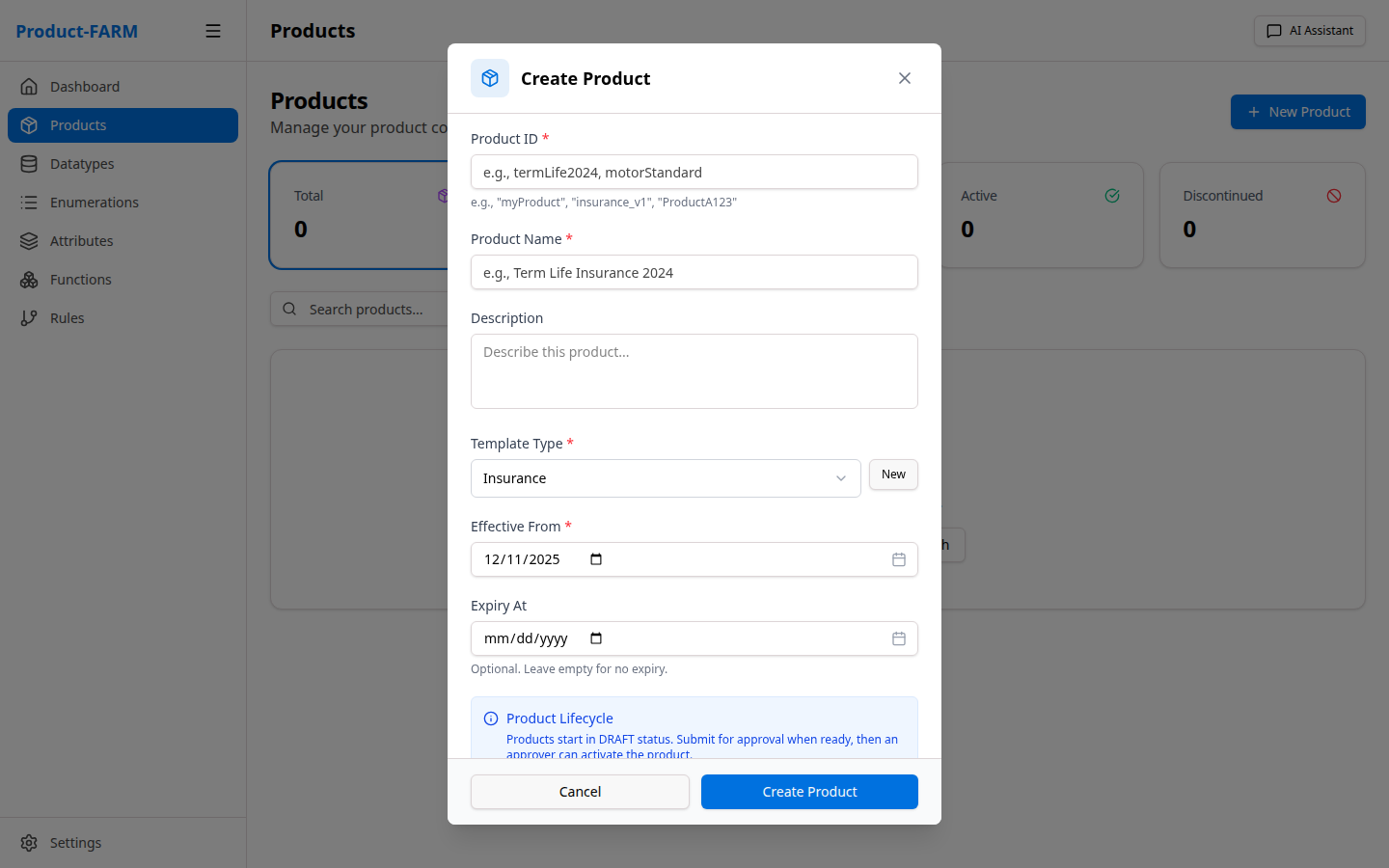
{
  "product_id": "insurance-premium-v1",
  "name": "Insurance Premium Calculator",
  "description": "Calculate insurance premiums based on customer risk factors",
  "status": "DRAFT"
}
Components
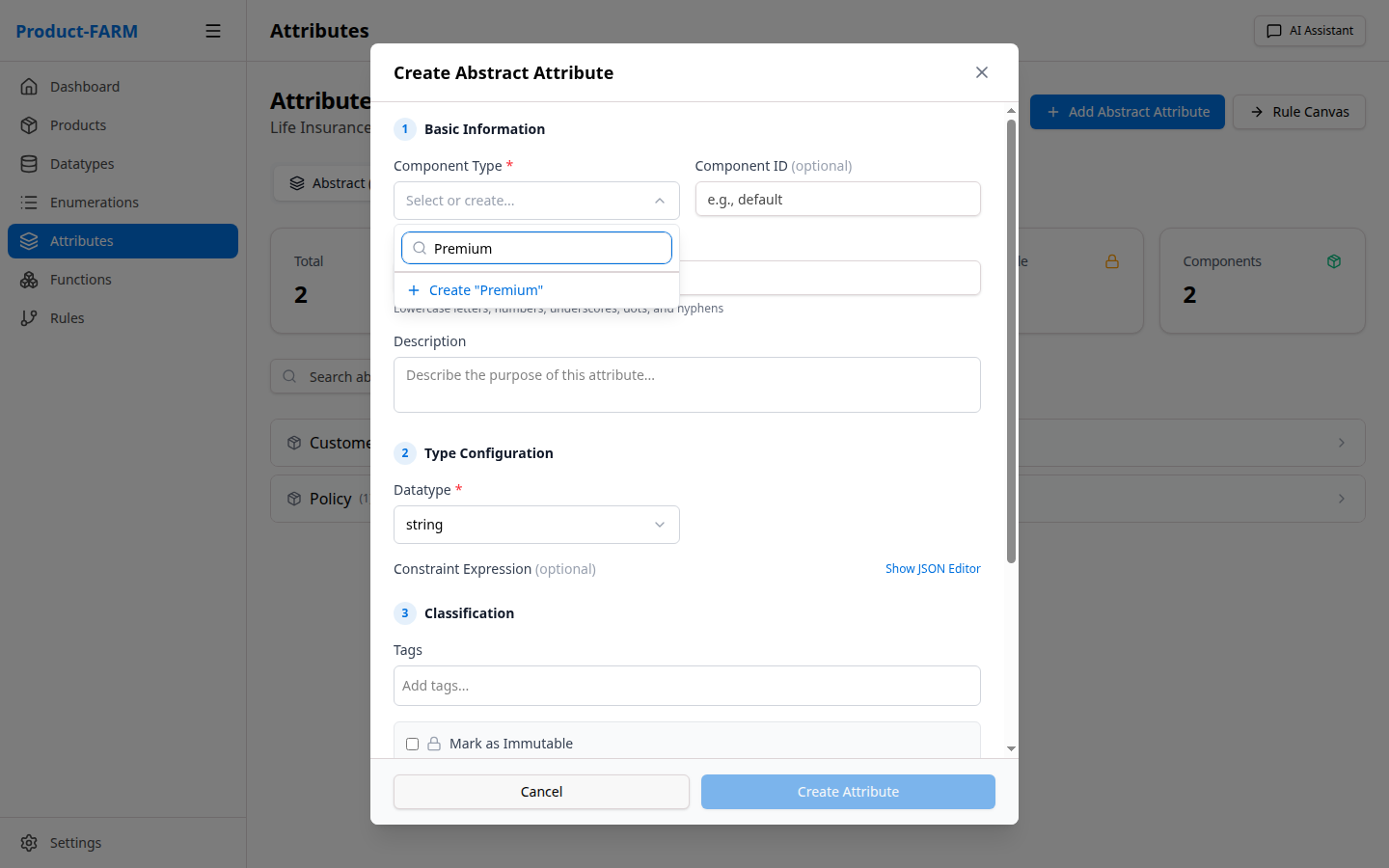
Components are logical groupings that organize attributes within a product.
Why Components?
As products grow, they can have dozens or hundreds of attributes. Components help you:
- Organize related attributes together
- Namespace attributes to avoid conflicts
- Model real-world entities (customer, policy, account)
Common Component Patterns
| Component | Purpose | Example Attributes |
|---|---|---|
customer |
Customer-related data | age, income, credit_score |
policy |
Policy configuration | coverage_amount, term_length |
premium |
Premium calculations | base_premium, discount, final_premium |
risk |
Risk assessment | risk_score, risk_level |
loan |
Loan-specific data | principal, interest_rate, monthly_payment |
Component in Context
graph LR
    subgraph A1["📋 Attribute: customer_age"]
        A1C["Component: customer"]
        A1D["Datatype: integer"]
        A1P["Path: customer.customer_age"]
    end

    subgraph A2["📋 Attribute: base_premium"]
        A2C["Component: premium"]
        A2D["Datatype: currency"]
        A2P["Path: premium.base_premium"]
    end

    style A1 fill:#1e3a5f,stroke:#3b82f6,color:#fff
    style A2 fill:#1e3a5f,stroke:#3b82f6,color:#fff
Datatypes
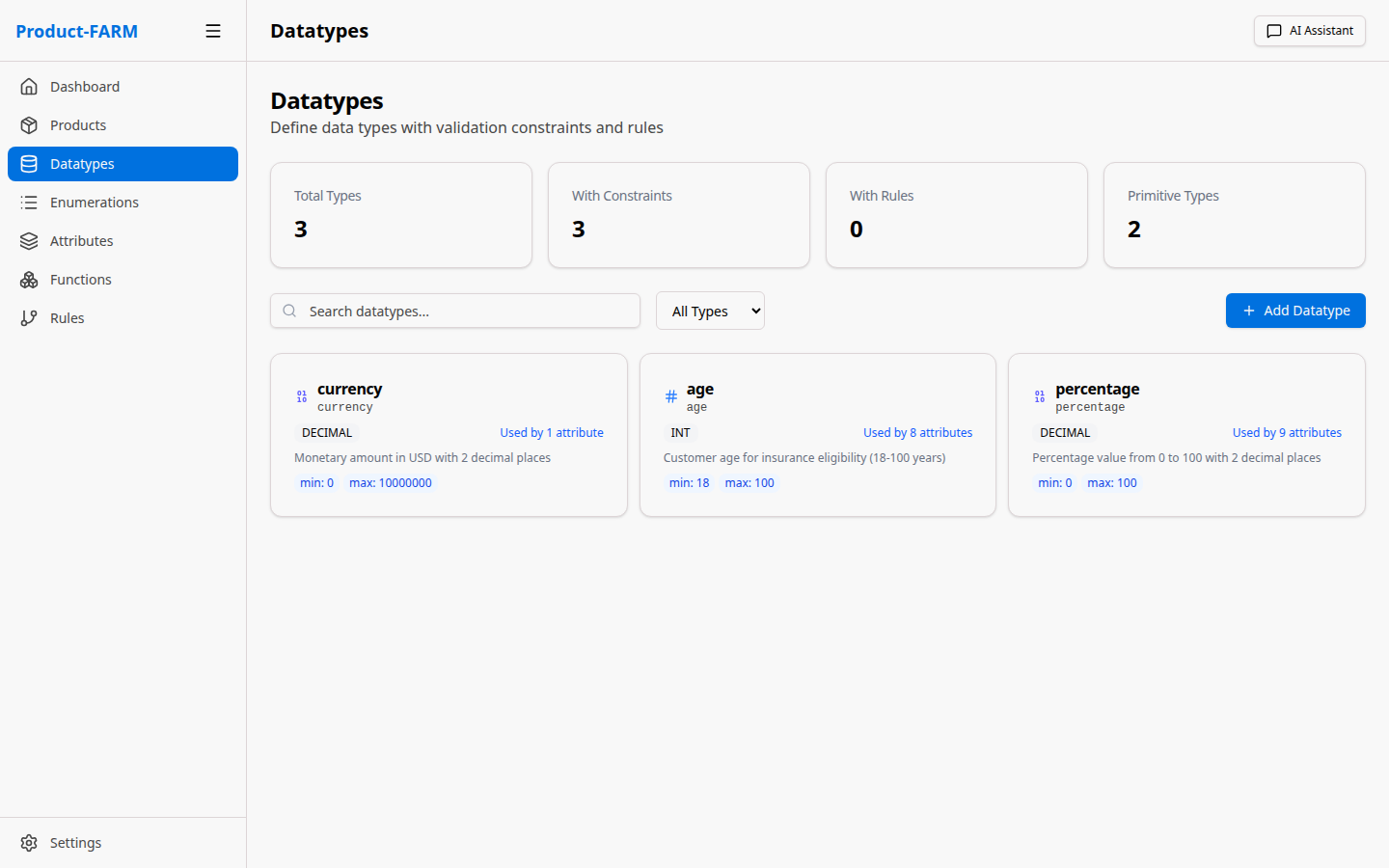
Datatypes define the structure, validation, and constraints for attribute values.
Built-in Datatypes
| Datatype | Description | Example Values |
|---|---|---|
integer |
Whole numbers | 1, 42, -100 |
decimal |
Decimal numbers | 3.14, 100.50, -0.001 |
string |
Text values | “hello”, “policy_123” |
boolean |
True/false | true, false |
date |
Calendar dates | “2024-01-15” |
datetime |
Date and time | “2024-01-15T14:30:00Z” |
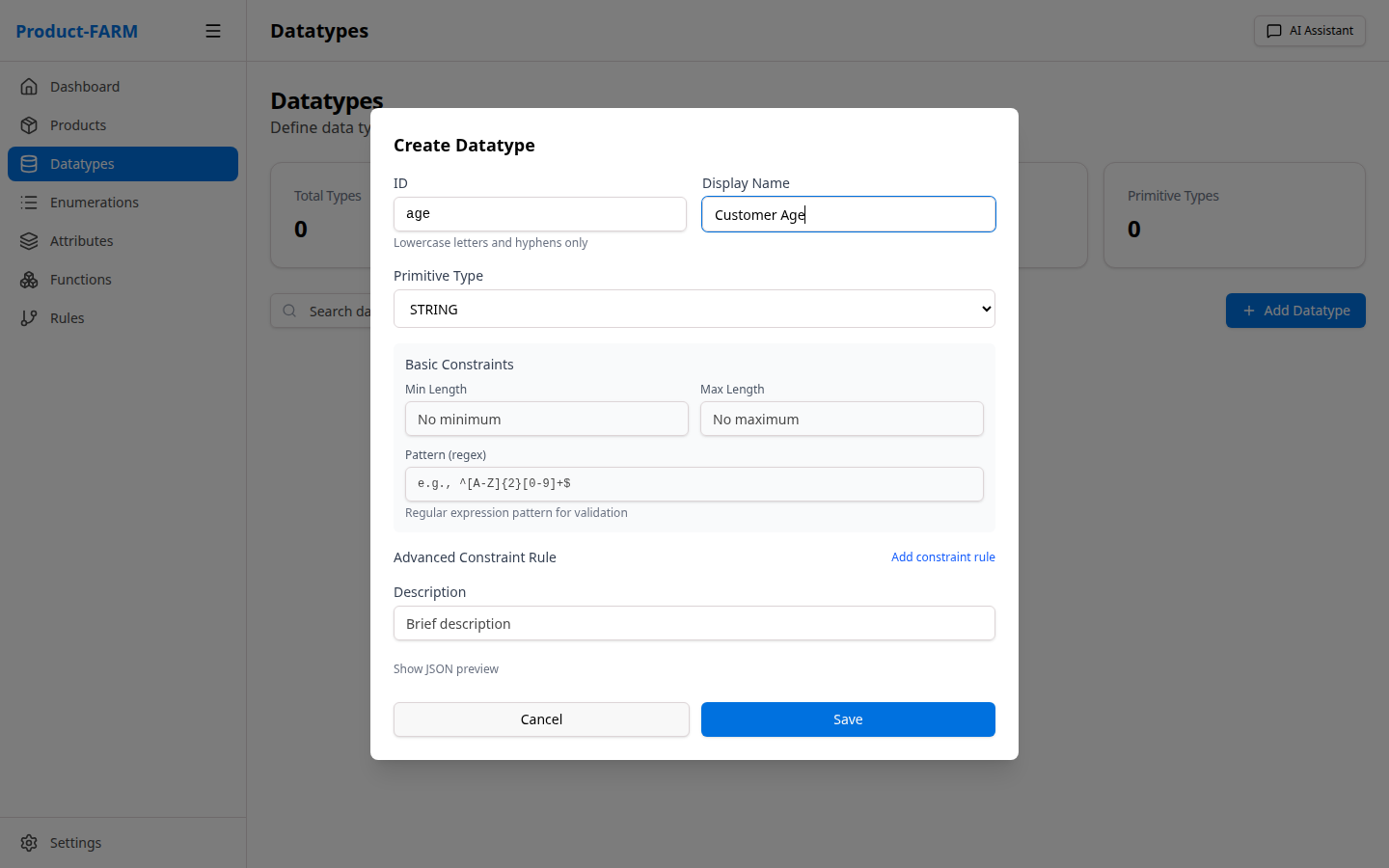
Custom Datatypes
You can create custom datatypes that extend built-in types with specific constraints:
Example: Currency Datatype
{
  "name": "currency",
  "base_type": "decimal",
  "description": "Monetary values with 2 decimal precision",
  "constraints": {
    "precision": 2,
    "min": 0
  }
}
Example: Age Datatype
{
  "name": "age",
  "base_type": "integer",
  "description": "Human age in years",
  "constraints": {
    "min": 0,
    "max": 150
  }
}
Example: Percentage Datatype
{
  "name": "percentage",
  "base_type": "decimal",
  "description": "Percentage values from 0 to 100",
  "constraints": {
    "min": 0,
    "max": 100,
    "precision": 4
  }
}
Viewing Datatypes
Enumerations
Enumerations define fixed sets of allowed values for categorical data.
When to Use Enumerations
Use enumerations when:
- Values come from a fixed, known set
- You need type-safe categorical data
- You want to prevent invalid values
Creating Enumerations
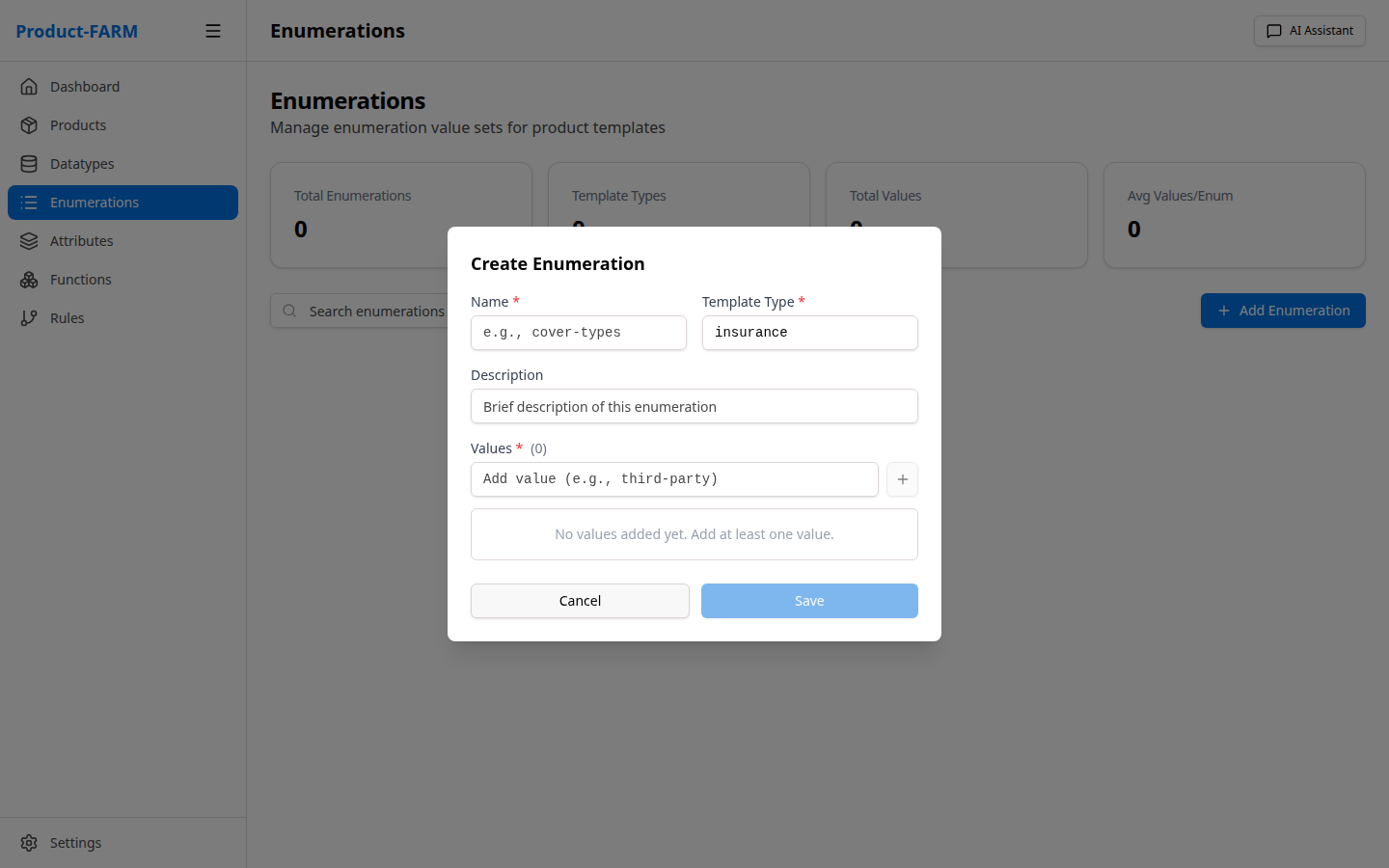
Example: Risk Level
{
  "name": "risk_level",
  "description": "Customer risk classification",
  "values": ["LOW", "MEDIUM", "HIGH", "CRITICAL"]
}
Example: Policy Type
{
  "name": "policy_type",
  "description": "Insurance policy tiers",
  "values": ["BASIC", "STANDARD", "PREMIUM", "ENTERPRISE"]
}
Example: Smoker Status
{
  "name": "smoker_status",
  "description": "Customer smoking classification",
  "values": ["NON_SMOKER", "OCCASIONAL", "REGULAR"]
}
Using Enumerations
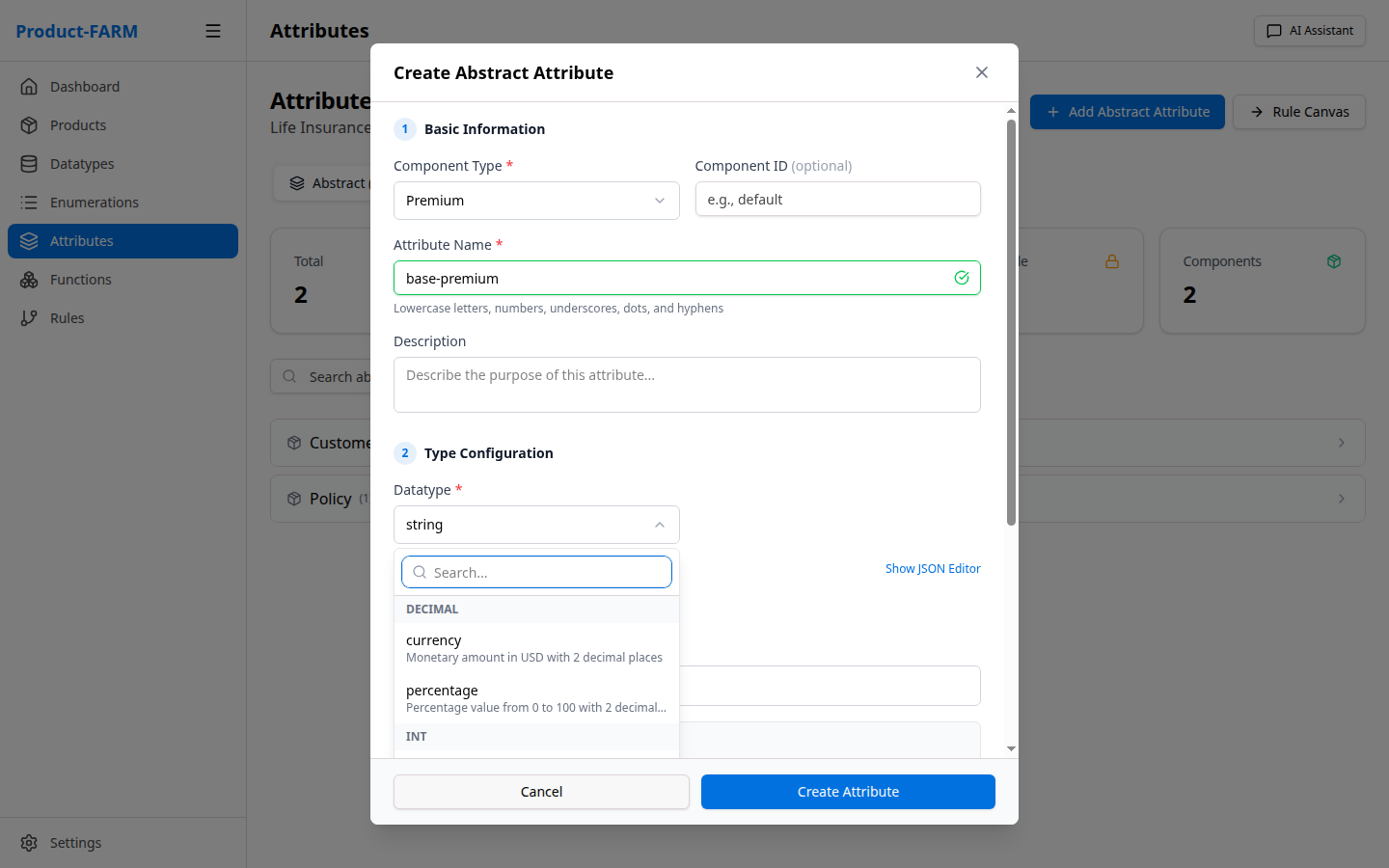
Once created, enumerations become available as datatypes for attributes:
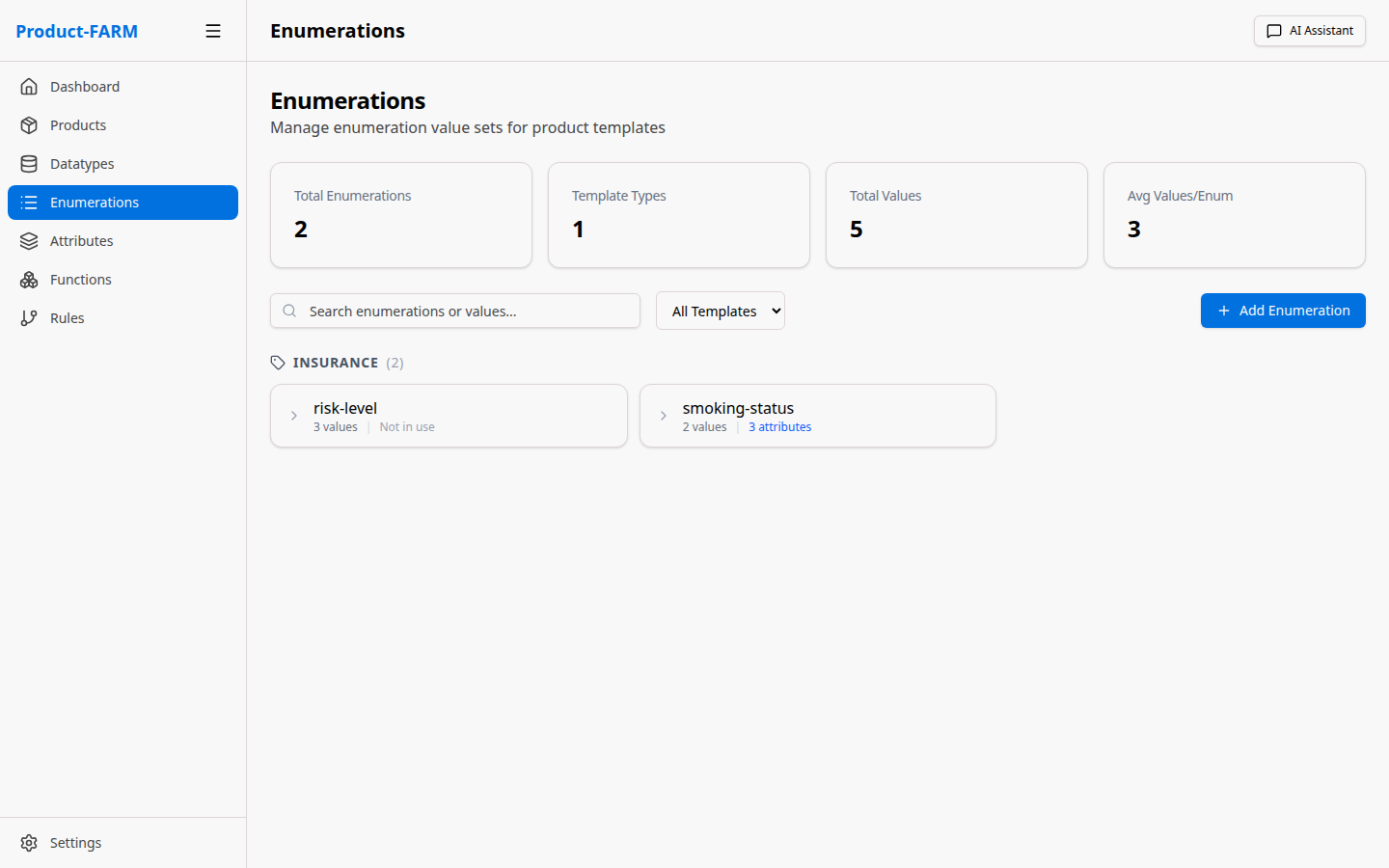
Viewing Enumerations
Attributes
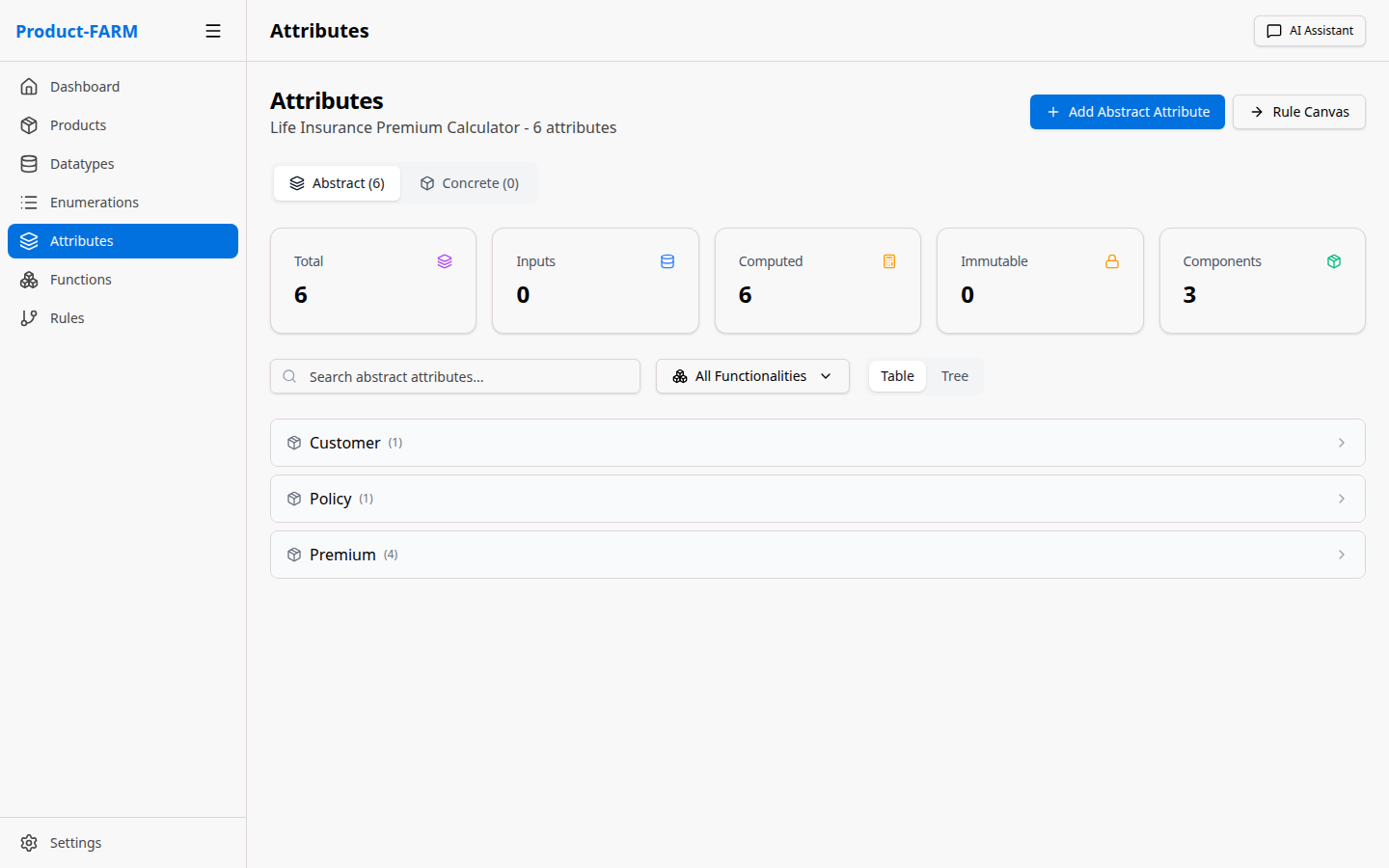
Attributes are the variables used in your rules—inputs, outputs, and intermediate calculations.
Abstract vs Concrete Attributes
| Type | Description | Example |
|---|---|---|
| Abstract Attribute | Template definition with type and constraints | customer_age: integer |
| Concrete Attribute | Instance with an actual value | customer_age = 35 |
Think of it like classes vs instances:
- Abstract Attribute = Class definition (what it is)
- Concrete Attribute = Instance with value (what it holds)
Attribute Categories
Input Attributes
- Values provided when evaluating rules
- Example:
customer_age,coverage_amount,smoker_status
Calculated Attributes
- Values computed by rules during evaluation
- Example:
base_premium,age_factor,risk_level
Output Attributes
- Final results returned after evaluation
- Example:
final_premium,monthly_payment
Creating Attributes
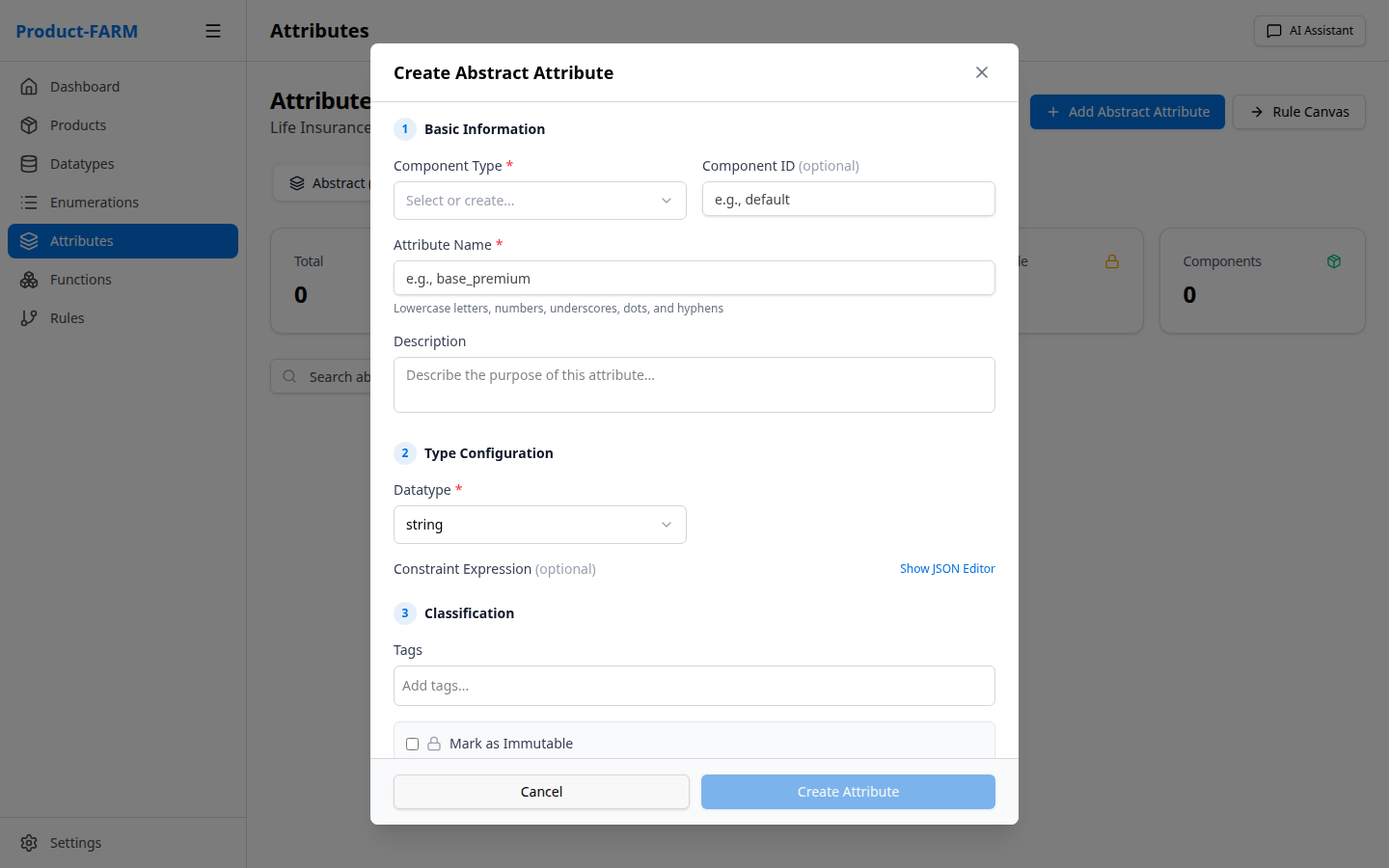
Example: Customer Age (Input)
{
  "name": "customer_age",
  "component": "customer",
  "datatype": "age",
  "description": "Customer's age in years",
  "category": "INPUT"
}
Example: Final Premium (Output)
{
  "name": "final_premium",
  "component": "premium",
  "datatype": "currency",
  "description": "Final calculated premium amount",
  "category": "OUTPUT"
}
Viewing Attributes
Rules
Rules are the heart of Product-FARM—they define the business logic that transforms inputs into outputs.
Rule Anatomy
Every rule has:
| Property | Description | Example |
|---|---|---|
| Name | Unique identifier | calculate_base_premium |
| Expression | JSON Logic formula | {"*": [{"var": "coverage"}, 0.02]} |
| Inputs | Required attributes | ["coverage_amount"] |
| Outputs | Computed attributes | ["base_premium"] |
| Display Expression | Human-readable form | base_premium = coverage_amount * 0.02 |
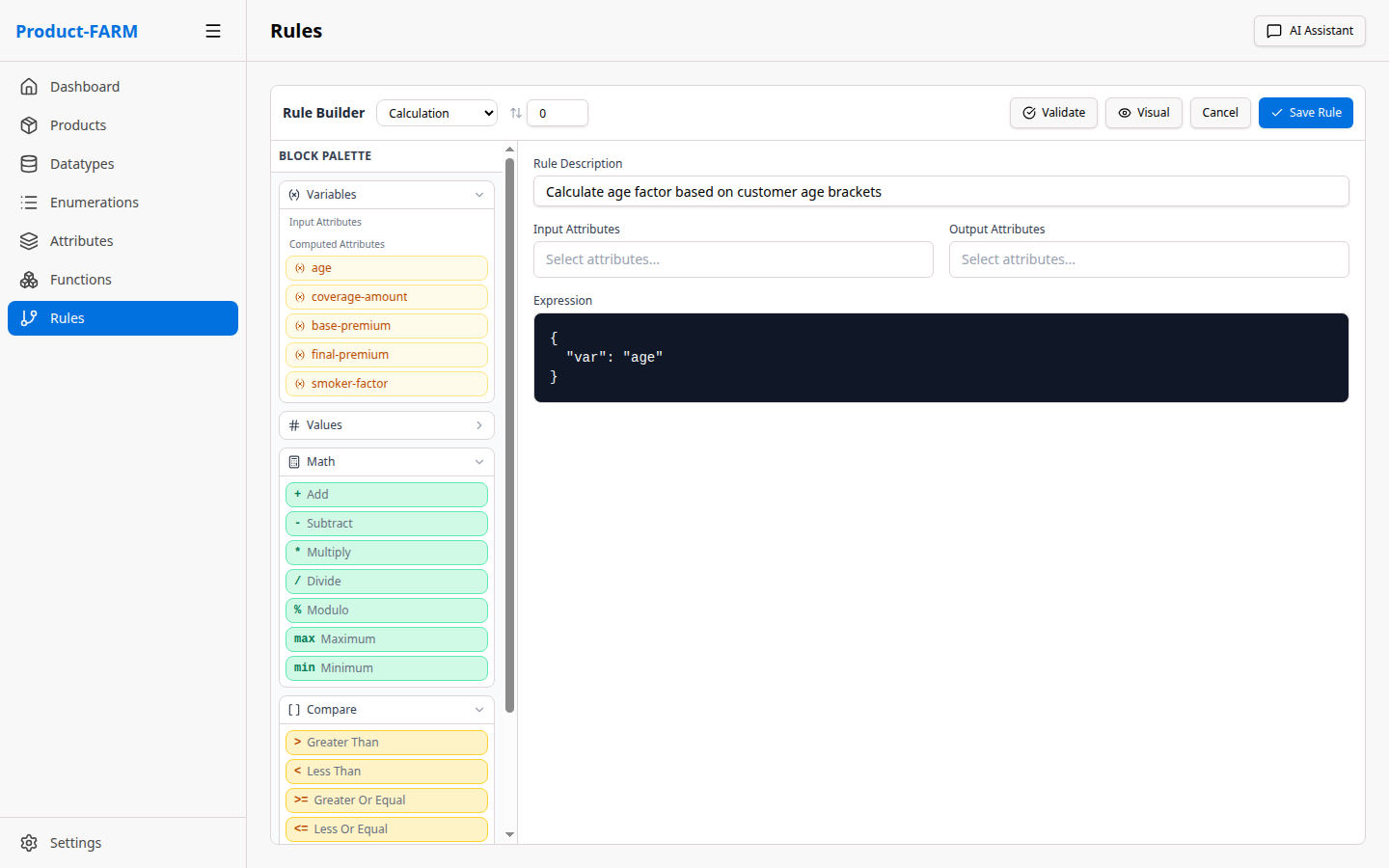
JSON Logic Expressions
Rules use JSON Logic for expressions—a portable, JSON-based format for expressing business logic.
Simple Calculation
{
  "expression": {"*": [{"var": "coverage_amount"}, 0.02]},
  "display": "base_premium = coverage_amount × 0.02"
}
Conditional Logic
{
  "expression": {
    "if": [
      {">": [{"var": "age"}, 60]}, 1.5,
      {">": [{"var": "age"}, 40]}, 1.2,
      1.0
    ]
  },
  "display": "IF age > 60 THEN 1.5, ELSE IF age > 40 THEN 1.2, ELSE 1.0"
}
Boolean Logic
{
  "expression": {
    "and": [
      {">": [{"var": "income"}, 50000]},
      {"<": [{"var": "debt_ratio"}, 0.4]}
    ]
  },
  "display": "income > 50000 AND debt_ratio < 0.4"
}
Creating Rules
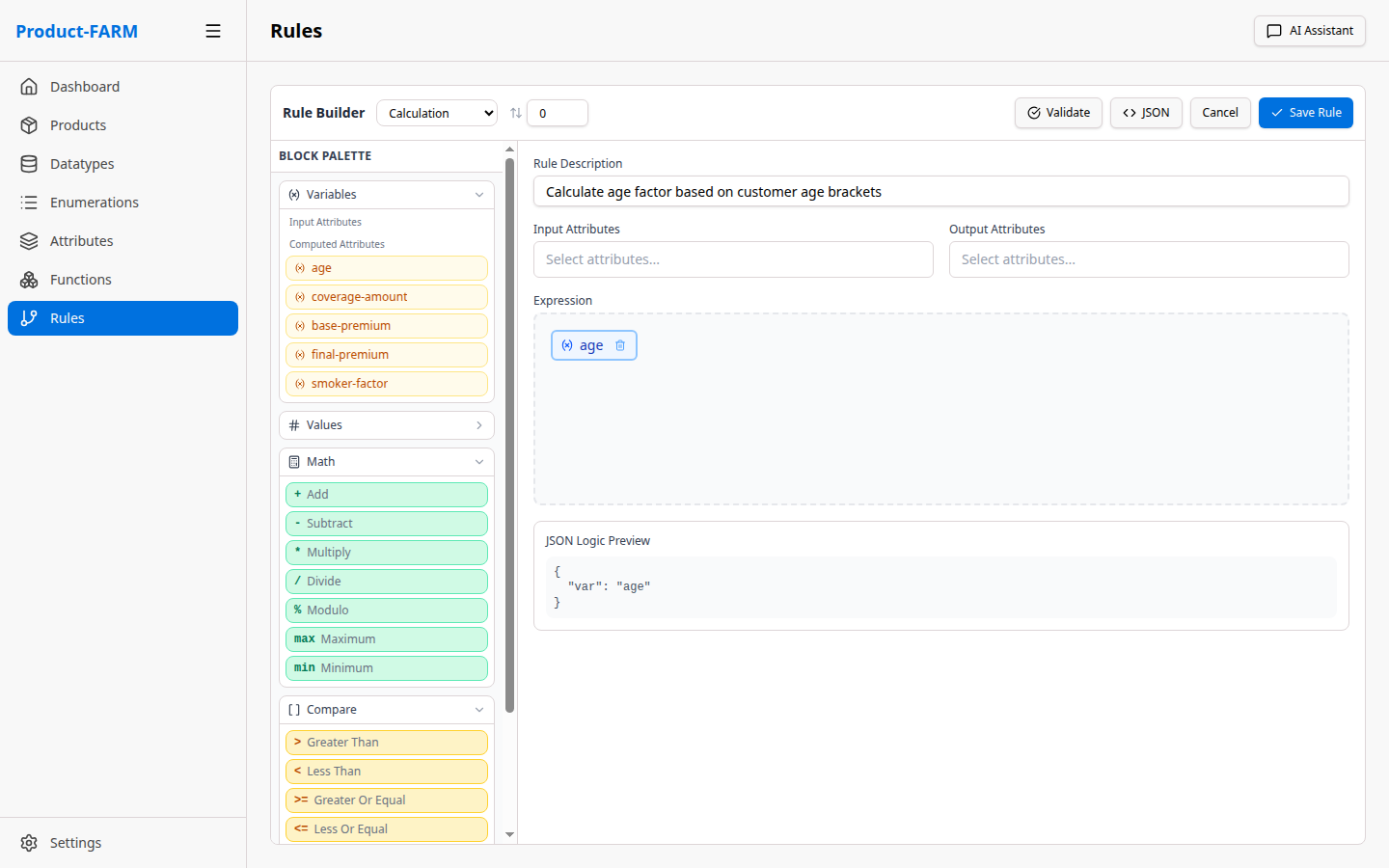
Use the visual rule builder or JSON mode:
Rule Types
| Type | Purpose | Example |
|---|---|---|
| CALCULATION | Compute numeric values | Premium = base × factor |
| CLASSIFICATION | Categorize into groups | Risk = HIGH if score > 7 |
| VALIDATION | Check conditions | Eligible = income > minimum |
| DERIVATION | Derive from other values | Age = today - birthdate |
Functionalities
Functionalities define business features by specifying which attributes are required and which are computed.
What is a Functionality?
A Functionality answers: “What does the user need to provide, and what will they get back?”
Think of it as an API contract for your business logic:
- Required Inputs: What data must be provided
- Optional Inputs: What data can be provided
- Outputs: What results will be returned
Functionality Examples
Quote Functionality
{
  "name": "quote",
  "description": "Get a price quote",
  "required_inputs": ["customer_age", "coverage_amount"],
  "optional_inputs": ["smoker_status", "policy_type"],
  "outputs": ["base_premium", "final_premium", "monthly_payment"]
}
Underwriting Functionality
{
  "name": "underwrite",
  "description": "Full underwriting assessment",
  "required_inputs": [
    "customer_age",
    "coverage_amount",
    "smoker_status",
    "medical_history",
    "occupation"
  ],
  "outputs": [
    "risk_level",
    "final_premium",
    "approval_status",
    "conditions"
  ]
}
How Functionalities Work
When you evaluate a functionality:
- Input Validation: System checks all required inputs are provided
- Rule Selection: Only rules needed for the requested outputs are executed
- DAG Execution: Rules run in dependency order, parallelized where possible
- Output Delivery: Requested outputs are returned
flowchart TB
    Request["📨 evaluate('quote', {customer_age: 35, coverage_amount: 100000})"]

    subgraph Step1["1️⃣ Validate Inputs"]
        V1["✓ customer_age: 35 (required)"]
        V2["✓ coverage_amount: 100000 (required)"]
        V3["○ smoker_status: use default"]
    end

    subgraph Step2["2️⃣ Build Execution DAG"]
        CA["customer_age"] --> AF["age_factor"]
        COV["coverage_amount"] --> BP["base_premium"]
        AF --> FP["final_premium"]
        BP --> FP
        FP --> MP["monthly_payment"]
    end

    subgraph Step3["3️⃣ Execute Rules"]
        L0["Level 0: base_premium, age_factor"]
        L1["Level 1: final_premium"]
        L2["Level 2: monthly_payment"]
        L0 --> L1 --> L2
    end

    subgraph Step4["4️⃣ Return Outputs"]
        OUT["base_premium: 2000.00<br/>final_premium: 2400.00<br/>monthly_payment: 200.00"]
    end

    Request --> Step1 --> Step2 --> Step3 --> Step4

    style Request fill:#6366f1,stroke:#8b5cf6,color:#fff
    style Step1 fill:#065f46,stroke:#10b981,color:#fff
    style Step2 fill:#1e3a5f,stroke:#3b82f6,color:#fff
    style Step3 fill:#7c2d12,stroke:#f59e0b,color:#fff
    style Step4 fill:#4c1d95,stroke:#8b5cf6,color:#fff
Tags
Tags are labels that help organize and filter attributes.
Using Tags
Tags allow you to:
- Group related attributes across components
- Filter attributes by category
- Query attributes by tag via API
Example Tags
graph LR
    subgraph PII["🔒 Tag: pii"]
        P1["customer_name"]
        P2["customer_email"]
        P3["customer_ssn"]
        P4["customer_phone"]
    end

    subgraph Pricing["💰 Tag: pricing"]
        PR1["base_premium"]
        PR2["discount_amount"]
        PR3["final_premium"]
        PR4["monthly_payment"]
    end

    subgraph Risk["⚠️ Tag: risk"]
        R1["risk_score"]
        R2["risk_level"]
        R3["risk_factors"]
    end

    style PII fill:#4a1a1a,stroke:#ef4444,color:#fff
    style Pricing fill:#065f46,stroke:#10b981,color:#fff
    style Risk fill:#7c2d12,stroke:#f59e0b,color:#fff
Tag-Based Queries
# Get all PII attributes
GET /api/products/{id}/abstract-attributes/by-tag/pii

# Get all pricing attributes
GET /api/products/{id}/abstract-attributes/by-tag/pricing
How Everything Connects
Here’s how all the concepts work together:
flowchart TB
    subgraph Product["📦 PRODUCT: insurance-premium-v1"]
        subgraph Shared["📚 SHARED DEFINITIONS"]
            direction LR
            DT["🔢 DATATYPES<br/>currency, percentage, age"]
            EN["📝 ENUMERATIONS<br/>risk_level, policy_type, smoker_status"]
        end

        subgraph Attrs["📋 ABSTRACT ATTRIBUTES"]
            subgraph Customer["customer"]
                A1["customer_age: age"]
                A2["smoker_status: enum"]
            end
            subgraph Premium["premium"]
                A3["base_premium: currency"]
                A4["final_premium: currency"]
                A5["age_factor: percentage"]
            end
            subgraph Policy["policy"]
                A6["coverage: currency"]
                A7["policy_type: enum"]
            end
        end

        subgraph Rules["⚡ RULES"]
            R1["calculate_base_premium<br/>coverage × 0.02"]
            R2["calculate_age_factor<br/>IF age > 60 THEN 1.5"]
            R3["calculate_final_premium<br/>base × age_factor"]
        end

        subgraph Funcs["🎯 FUNCTIONALITIES"]
            F1["quote<br/>required: age, coverage<br/>outputs: premium, payment"]
            F2["underwrite<br/>required: age, coverage, smoker<br/>outputs: risk, approval"]
        end
    end

    Shared -->|"types"| Attrs
    Attrs -->|"inputs/outputs"| Rules
    Rules -->|"groups"| Funcs

    style Product fill:#0f172a,stroke:#3b82f6,color:#fff
    style Shared fill:#312e81,stroke:#6366f1,color:#fff
    style Attrs fill:#1e3a5f,stroke:#3b82f6,color:#fff
    style Rules fill:#7c2d12,stroke:#f59e0b,color:#fff
    style Funcs fill:#4c1d95,stroke:#8b5cf6,color:#fff
Entity Relationships
erDiagram
    PRODUCT ||--o{ COMPONENT : contains
    PRODUCT ||--o{ RULE : contains
    PRODUCT ||--o{ FUNCTIONALITY : defines

    COMPONENT ||--o{ ATTRIBUTE : groups

    RULE }|--|{ ATTRIBUTE : "inputs/outputs"
    RULE }o--|| FUNCTIONALITY : "grouped by"

    ATTRIBUTE }|--|| DATATYPE : "typed by"
    ATTRIBUTE }o--o{ TAG : "tagged by"

    DATATYPE ||--o| ENUMERATION : "may use"

    PRODUCT {
        string id PK
        string name
        enum status
    }
    COMPONENT {
        string type
        string id
    }
    ATTRIBUTE {
        string path PK
        string datatype_id FK
    }
    RULE {
        string id PK
        json expression
    }
    FUNCTIONALITY {
        string name PK
        array inputs
        array outputs
    }
    DATATYPE {
        string id PK
        string primitive
    }
    TAG {
        string name PK
    }
    ENUMERATION {
        string name PK
        array values
    }
Next Steps
Now that you understand the core concepts:
- Quick Start Guide - Build your first product
- How It Works - Technical deep-dive into rule evaluation
- Architecture - System design and components